
Managing a collection can be a daunting task, with numerous items to track and keep organized. This is where QR code labels come in – they provide an efficient way to identify and inventory your collection while also enhancing the customer experience. For instance, museums use them to display information about artworks without cluttering the space, and libraries use them to quickly locate books on shelves. However, simply printing out QR codes isn’t enough; you need to create effective labels that will be easily scannable and provide the right amount of information. This article aims to guide you through best practices for creating such labels and implementing them successfully in your collection management system. By following these tips, you’ll be able to streamline inventory management, improve data tracking, and enhance customer experience with ease.
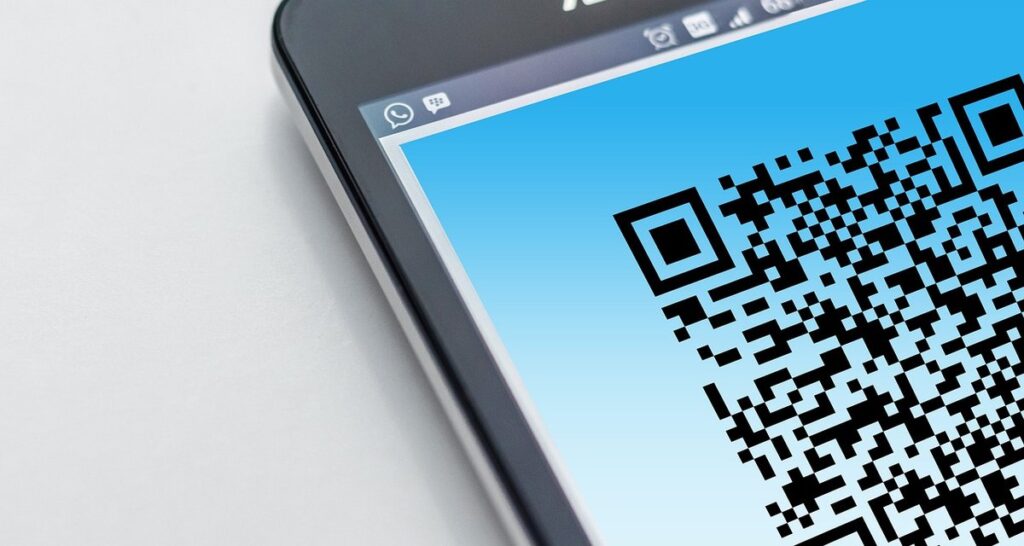
What are QR Code Labels and How Do They Work
QR codes have become a staple in various industries, but what exactly is behind these small yet powerful labels? Let’s take a closer look at how they work.
Introduction to QR Codes
A QR code is a type of two-dimensional barcode that stores data and can be read by smartphones and other mobile devices using a camera. Developed in the early 1990s, QR codes were initially used for tracking parts in Japanese manufacturing but have since become ubiquitous in various industries, including retail, marketing, and inventory management.
The basic functionality of a QR code involves encoding information such as text, URLs, phone numbers, and email addresses into a matrix of black modules on a white background. When scanned with a smartphone camera, the QR code reader decodes this information and opens it in the corresponding app or browser. This ability to store and share data efficiently has made QR codes an essential tool for collections management.
A key aspect of QR codes is their readability: as long as the code is clean, well-lit, and centered on a flat surface, it can be scanned quickly and accurately. In the context of collection labels, this means that QR codes can provide instant access to detailed information about individual items, such as provenance, condition reports, or loan history.
Benefits of Using QR Code Labels in Collections
Using QR code labels in collections offers several benefits, including streamlined inventory management. With a simple scan, staff can quickly update item locations and quantities, eliminating manual tracking methods that are prone to errors. This efficiency also allows for faster restocking and reordering, ensuring items remain available for customers.
QR code labels can also enhance the customer experience by providing instant access to relevant information about an item, such as its history, condition, or provenance. For example, a museum could use QR codes to link visitors directly to detailed descriptions of artifacts, allowing them to learn more about each piece without disrupting other visitors. Additionally, data tracking becomes simpler and more accurate with QR code labels, enabling collection owners to analyze usage patterns and make data-driven decisions.
This improved data management also enables collection owners to better understand how items are being used and accessed, facilitating informed decision-making around curation and conservation efforts. By leveraging the capabilities of QR code labels, collections can become more dynamic and responsive to visitor needs, ultimately enhancing the overall experience for both staff and patrons.
Choosing the Right Type of QR Code Label for Your Collection
When it comes to creating a collection, selecting the right type of QR code label is crucial for efficient organization and easy tracking. We’ll break down the key factors to consider in this section.
Understanding Different Materials and Finishes
When selecting QR code labels, choosing the right material and finish is crucial to ensure they can withstand various environments. You’ll find three primary materials: paper, plastic, and metal.
Paper-based labels are cost-effective but may not be suitable for harsh conditions like high humidity or exposure to sunlight. Plastic labels, on the other hand, offer better durability but might be more expensive. Metal labels provide excellent resistance to wear and tear, making them ideal for applications where they’ll be subject to heavy use.
In terms of finishes, glossy and matte options are available. Glossy labels can reflect light, improving readability, while matte finishes reduce glare and fingerprints. Consider the environment in which the labels will be used: a glossy finish might be suitable for indoor displays, but a matte finish would be better for outdoor use or applications where frequent handling is expected.
When selecting materials and finishes, think about the specific conditions your collection will face. For example, if you’re creating QR code labels for items that will be displayed in a museum with fluctuating humidity levels, a plastic label might be a safer choice than paper.
Considerations for Size, Shape, and Design
When choosing a QR code label size, shape, and design, consider the dimensions of the collection items themselves. For instance, if you’re labeling small artifacts like jewelry or coins, opt for compact labels that won’t obscure the item’s details. Conversely, larger items such as sculptures or furniture might require more prominent labels.
Think about your space constraints: wall-mounted labels can save floor space in crowded galleries or exhibitions, while freestanding displays might necessitate larger labels to ensure visibility from a distance.
Aesthetic preferences also play a significant role in selecting the right design. For example, minimalist museums may prefer understated black-and-white designs that blend with their décor, whereas more colorful institutions might choose vibrant graphics and bold fonts to match their atmosphere.
To strike a balance between form and function, consider using QR code labels with rounded edges or custom shapes that fit the item’s unique contours. This approach can add an extra layer of visual interest while ensuring the label is secure and easy to read.
Best Practices for Creating Effective QR Code Labels
To create effective QR code labels, you’ll want to pay attention to design elements and ensure your codes are scannable from a distance. A well-designed label will greatly enhance the overall user experience for collectors.
Content Strategy and Data Management
When creating QR code labels for collections, it’s essential to carefully consider what information to include and how to manage data. Start by deciding which details are most relevant to your collection, such as item descriptions, artist statements, or provenance information. Keep in mind that the content should be concise and easy to read on a mobile device.
For optimal performance, use a clear and simple formatting style, avoiding large blocks of text. A good rule of thumb is to limit each QR code to about 200 characters of plain text. If you need to include more information, consider using a URL that links to a webpage with additional details.
To manage data effectively, it’s crucial to establish a system for updating and maintaining content. This might involve creating a centralized database or spreadsheet where you can store and update item information. You should also plan for how to handle changes or updates to existing QR code labels. For instance, you may need to create procedures for replacing outdated labels with new ones.
To optimize content for mobile devices, use short URLs and consider using a URL shortening service. This will help ensure that the link is easy to read on smaller screens. Additionally, make sure to test your QR codes regularly to guarantee they are functioning properly.
Design Principles for QR Code Labels
When designing QR code labels for your collection, it’s essential to consider visual appeal alongside functionality. Your labels should complement your brand identity and enhance the overall aesthetic of your collection. A well-designed label can make a significant difference in how visitors interact with your collection.
Stick to a consistent color palette that aligns with your collection’s brand guidelines. Avoid using bright or neon colors, as they may be distracting or difficult to read. Instead, opt for muted tones that allow the QR code itself to stand out. Consider using a clear or frosted finish on matte labels to reduce glare and improve readability.
To create visually appealing designs, follow these key principles:
• Balance: Ensure your design elements are balanced to avoid visual clutter.
• Contrast: Use sufficient contrast between text and background colors for easy reading.
• Legibility: Choose fonts that are easily readable at a distance.
• Clarity: Avoid using too many graphics or images that may compete with the QR code.
By applying these design principles, you can create visually appealing QR code labels that effectively communicate your collection’s information to visitors.
Implementing QR Code Labels in Your Collection
When implementing QR code labels in your collection, it’s essential to consider the practical applications and logistics of using these labels on a larger scale. This includes determining the best placement and usage for maximum impact.
Technical Requirements and Integration Options
For QR code labels to function seamlessly in your collection, you’ll need a device capable of reading them. This typically means a smartphone with a recent operating system version – ideally Android 7 or later, or iOS 11 or later. Some older devices may also work, but the experience might be inconsistent.
To read and process QR codes, you can use either built-in scanner software on your phone’s camera app or download a third-party app like Scan, QR Code Reader, or Google Lens. These apps often come with additional features, such as data storage or sharing options.
When integrating QR code labels into existing systems, consider the compatibility of your inventory management software. Look for solutions that support QR code scanning and can automatically update related records when a label is scanned. For example, you might use a software like Skubana or TradeGecko to manage stock levels and track customer interactions through QR codes.
When choosing a solution, ensure it meets your specific needs by considering factors such as data format compatibility (e.g., CSV, JSON), API accessibility, and user interface simplicity.
Training Staff and Ensuring Smooth Adoption
Training staff to effectively use QR code labels is crucial for a seamless transition. To begin, provide clear instructions on how to properly scan and read QR codes, including troubleshooting common issues such as damaged or worn-out labels. It’s also essential to establish a consistent naming convention for labels, making it easier for staff to locate and manage them.
Assign specific tasks to designated personnel, ensuring that each role understands their responsibilities in implementing and maintaining the QR code system. For example, one person may be responsible for updating label content, while another handles technical integration.
To overcome potential challenges, consider conducting regular training sessions and workshops to address staff questions and concerns. This can also serve as an opportunity to share best practices and gather feedback on the effectiveness of the system.
Develop a clear plan for rolling out QR code labels across your collection, including timelines, milestones, and key performance indicators (KPIs). By doing so, you’ll be able to track progress, identify areas for improvement, and make data-driven decisions to refine your implementation strategy.
Case Studies and Success Stories of Collections Using QR Code Labels
Real-world examples showcase how QR code labels have transformed collection management for institutions, offering valuable insights into best practices. Let’s take a look at these inspiring stories and learn from their experiences.
Real-Life Examples of Collection Owners Who Have Implemented QR Code Labels
The implementation of QR code labels has been a game-changer for various types of collections. Let’s take a look at some real-life examples of collection owners who have successfully integrated QR code labels into their operations.
In the art world, the Museum of Modern Art (MoMA) in New York City used QR codes to provide visitors with additional information about artworks on display. By scanning a QR code placed next to each piece, viewers could access artist statements, exhibition histories, and other contextual details that enhanced their understanding of the art.
Similarly, an antique shop in London implemented QR codes to allow customers to scan and view detailed descriptions and high-resolution images of items for sale. This feature helped increase sales by providing customers with more information about the pieces they were interested in.
A small museum in a rural town used QR code labels to create interactive exhibits that brought history to life. Visitors could scan codes placed near artifacts to hear stories from local historians, watch videos, and explore additional resources online.
In each of these cases, collection owners leveraged QR code labels to enhance the visitor experience, provide more information about their collections, and increase engagement with their audiences.
Challenges Overcome and Lessons Learned
Implementing QR code labels can be a complex process, and collection owners often encounter various challenges along the way. One common hurdle is ensuring seamless integration with existing systems, such as collection management software or inventory tracking tools. For instance, the Indianapolis Museum of Art faced this issue when implementing QR code labels for their art collections. They had to work closely with their IT department to ensure that the labels could be scanned and updated in real-time.
Another challenge is educating staff on how to properly use and maintain the QR code labels. The Metropolitan Museum of Art encountered this problem when introducing QR code labels for their exhibition cataloging system. To overcome this, they provided regular training sessions and created a comprehensive guide for staff members.
Lessons learned from these implementations emphasize the importance of thorough planning, clear communication, and ongoing support. Collection owners should carefully assess their technical requirements and infrastructure before implementing QR code labels. They should also establish protocols for label maintenance and updates to ensure that the technology remains effective over time.
FAQs and Troubleshooting Common Issues with QR Code Labels
We’ve anticipated some common questions you might have when using QR code labels for collections, so let’s address them now. From label errors to scanner issues, we’ll walk through potential problems and solutions.
Frequently Asked Questions About QR Code Labels
When a QR code label is scanned, it can only hold one type of content. This means you must decide which type of data to encode on each label. Typically, collections choose between linking to an item’s digital record or providing basic metadata such as the object’s name, accession number, and loan status.
Some common concerns about QR code labels are their durability and compatibility with various surfaces. In reality, most standard QR codes can withstand minor scratches and exposure to sunlight without degrading significantly. However, it’s essential to choose a label material that suits your collection’s environment and usage patterns. For instance, if you’re labeling outdoor exhibits, look for labels made from weather-resistant materials.
When designing QR code labels, keep in mind the recommended size: at least 1 inch square (2.5 cm x 2.5 cm) to ensure readability on most smartphones. Avoid placing the label directly over an image or text as this can make it harder to scan successfully. By being mindful of these factors and selecting suitable materials, you can minimize potential issues and create effective QR code labels for your collection.
Troubleshooting Tips for Common Problems
If you’re experiencing issues with incorrect scanning, check if the QR code is damaged, dirty, or obscured. Ensure the label is placed in a position where it can be easily scanned, such as near the item’s barcode or on a visible surface.
When encountering data errors, review your content strategy and data management practices. Verify that you’re encoding accurate information, using the correct format, and storing it securely. Consider using error-checking mechanisms to detect and correct mistakes before they become issues.
Some common scanning errors are due to label size and design. If you’re finding that small or irregularly-shaped labels aren’t being read correctly, try adjusting your QR code’s resolution or placement on the label. Conversely, if larger labels are causing issues, consider downsampling or optimizing their contents.
To troubleshoot scanning issues quickly, use a smartphone app like Google Lens or Scanbot to scan and decode the QR code directly from the label. If you’re working with multiple staff members, consider implementing a standardized labeling process or providing clear guidelines on how to create effective QR codes.
In addition, keep your device’s camera software up-to-date, as newer versions often include improved QR scanning capabilities.
Conclusion: Unlock the Full Potential of Your Collection with QR Code Labels
You’ve made it through our comprehensive guide and now it’s time to put your new knowledge into action. Let’s discuss how you can maximize the benefits of your collection with QR code labels.
Recap of Key Takeaways
To implement QR code labels effectively in your collection, remember to choose a type of label that suits your material and consider factors like size, shape, and design. When creating your QR code labels, develop a content strategy and ensure you have a plan for data management. This will help you avoid common issues like cluttered or hard-to-read labels. In terms of design principles, keep it simple and make sure the QR code is easily scannable.
When implementing QR code labels in your collection, consider the technical requirements and integration options available to you. Make sure you have a plan for training staff on how to use the labels and ensure smooth adoption. You should also think about potential challenges like inventory management and data updates.
To recap, key takeaways from this article include selecting the right type of QR code label for your collection, creating effective content and design principles, and implementing the labels smoothly. This includes considering technical requirements, training staff, and overcoming common challenges.
Future Developments and Emerging Trends in QR Code Technology
Emerging trends and future developments in QR code technology hold significant promise for collections looking to enhance their experience. One area of growth is in augmented reality (AR) integration, allowing visitors to access multimedia content directly from a label. For instance, museums can use AR-enabled labels to provide viewers with additional context about artworks, such as behind-the-scenes stories or artist interviews.
Another trend on the horizon is the increased adoption of dynamic QR codes, which enable more flexible and efficient data management. This technology allows labels to be easily updated in real-time, making it ideal for collections where item information frequently changes. Additionally, advancements in miniaturization are enabling the creation of smaller, more discreet QR code labels that can be placed on delicate or fragile items without compromising their integrity.
As the field continues to evolve, it’s essential for collection owners to stay informed about these developments and consider how they might benefit from integrating emerging technologies into their existing systems. By doing so, they can unlock new opportunities for engagement, education, and preservation.
Frequently Asked Questions
Can I use QR code labels for collections that have very large or heavy items?
Yes, you can still use QR code labels for collections with oversized or heavy items. Consider using metal or durable plastic materials to ensure the label can withstand the weight and handling of these items.
How do I handle duplicate or conflicting data in my collection’s inventory management system if multiple staff members are using QR codes to update item information?
To prevent data conflicts, establish clear protocols for updating item information through QR code labels. Ensure that only authorized personnel can make changes, and consider implementing a version control system to track updates.
What if I need to change the content of my QR code label after it’s been printed? Can I update the information without reprinting the entire collection?
Yes, you can update the content of your QR code labels without reprinting the entire collection. Use a data management platform that allows for easy editing and updating of QR code content.
Can I use QR code labels on items with existing barcodes or RFID tags? Will this cause conflicts or duplication of effort in my inventory management system?
Yes, you can use QR code labels alongside existing barcodes or RFID tags. However, be mindful of potential data conflicts and consider implementing a strategy to reconcile and integrate the different tracking methods.
Are there any specific design considerations for creating QR code labels that will be used on fragile or delicate items in my collection? What finishes or materials should I choose?
When designing QR code labels for fragile or delicate items, prioritize scratch-resistant and non-reflective finishes. Consider using paper or plastic materials with a matte finish to minimize visibility and prevent damage to the item.